
Best value big drive
Toshiba N300
NAS drivesCMR7,200 RPM8TB to 14TB
Filling a NAS with big drives for less per terabyte.
about $550on Amazon
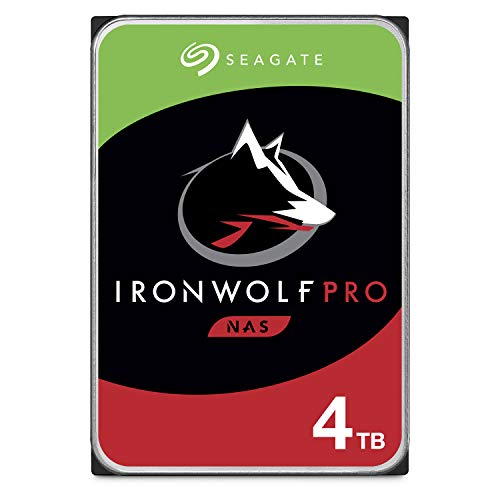
Busier NAS boxes and bigger arrays that want speed and a data recovery plan.
Our pick: Fast NAS drive. The Seagate IronWolf Pro 4TB is a CMR NAS hard drive (7,200 RPM, 4TB listing we checked). It suits busier NAS boxes and bigger arrays that want speed and a data recovery plan. The catch: louder than WD Red Plus (51 negative mentions of noise). The bigger IronWolf and IronWolf Pro listings (8TB, 16TB to 32TB) failed our reliability check, so we only list this one.
Not buying today? Your Amazon cart keeps it saved and shows you if the price drops.
Specs are from the Amazon listing or the maker. Prices are for the box without drives unless the listing says otherwise.
Louder than WD Red Plus (51 negative mentions of noise). The bigger IronWolf and IronWolf Pro listings (8TB, 16TB to 32TB) failed our reliability check, so we only list this one.
NAS drives are built for 24/7 running and RAID: CMR recording, vibration sensors and longer warranties. Desktop SMR drives can stall a RAID rebuild.
Fast NAS drive. 7,200 RPM, up to 214MB/s, IronWolf Health Management. Includes Rescue data recovery. 4.5 stars from 2,705 ratings on the 4TB. The catch: Louder than WD Red Plus (51 negative mentions of noise). The bigger IronWolf and IronWolf Pro listings (8TB, 16TB to 32TB) failed our reliability check, so we only list this one.
CMR. Avoid SMR drives in a NAS: they can slow RAID rebuilds to a crawl.
Two for a 2-bay mirror (RAID 1). For four or more bays, RAID 5 or Synology SHR uses one drive’s worth of space for protection. Buy drives of the same size, and keep a separate backup: RAID is not a backup.
From the Amazon listing, in the maker's own words.
Filling a NAS with big drives for less per terabyte.

Backups and light streaming with a faster-than-gigabit port.

First-time NAS buyers who want photos, files and backups working tonight.